PrO2+ is on the App Store. Download the companion app today for iPhone or Android to pair with your device and train anywhere.

Clinician mode
A clinician account links patients to you. Assign respiratory muscle training, follow adherence, and review results from the cloud portal or the PrO2 app—whether they train in clinic or at home.
What clinician mode unlocks
A standard account is for the person training. Clinician mode is turned on by PrO2 Health and adds the tools for monitoring a panel of patients.
Clinician ID
Your identifier is what patients enter to share training with you. Once it is assigned, it shows in the app under Account → Edit Profile, and in the portal.
Cloud portal
Dashboard status, Linked Users, protocol assignment, and full session results—across one patient or a whole clinic.
PrO2 app
Manage Clients from Account, and run assessments or training on a shared in-clinic device. Sessions sync to the same account.
How it works
From access request to a linked patient, in four steps.
1 · Request access
Ask PrO2 Health to enable clinician mode
Create an account if you need one, then send the request with your name and clinic. We review it and assign your Clinician ID. Until then, the account stays a patient account.
Request clinician access2 · Share your ID
Give patients the code that links them to you
In the app, open Account → Edit Profile. The Clinician Account section shows your ID. Share it with the patients you want to follow. An account can hold more than one clinic code when you practice in more than one setting.
3 · Link patients
They connect, or you add them
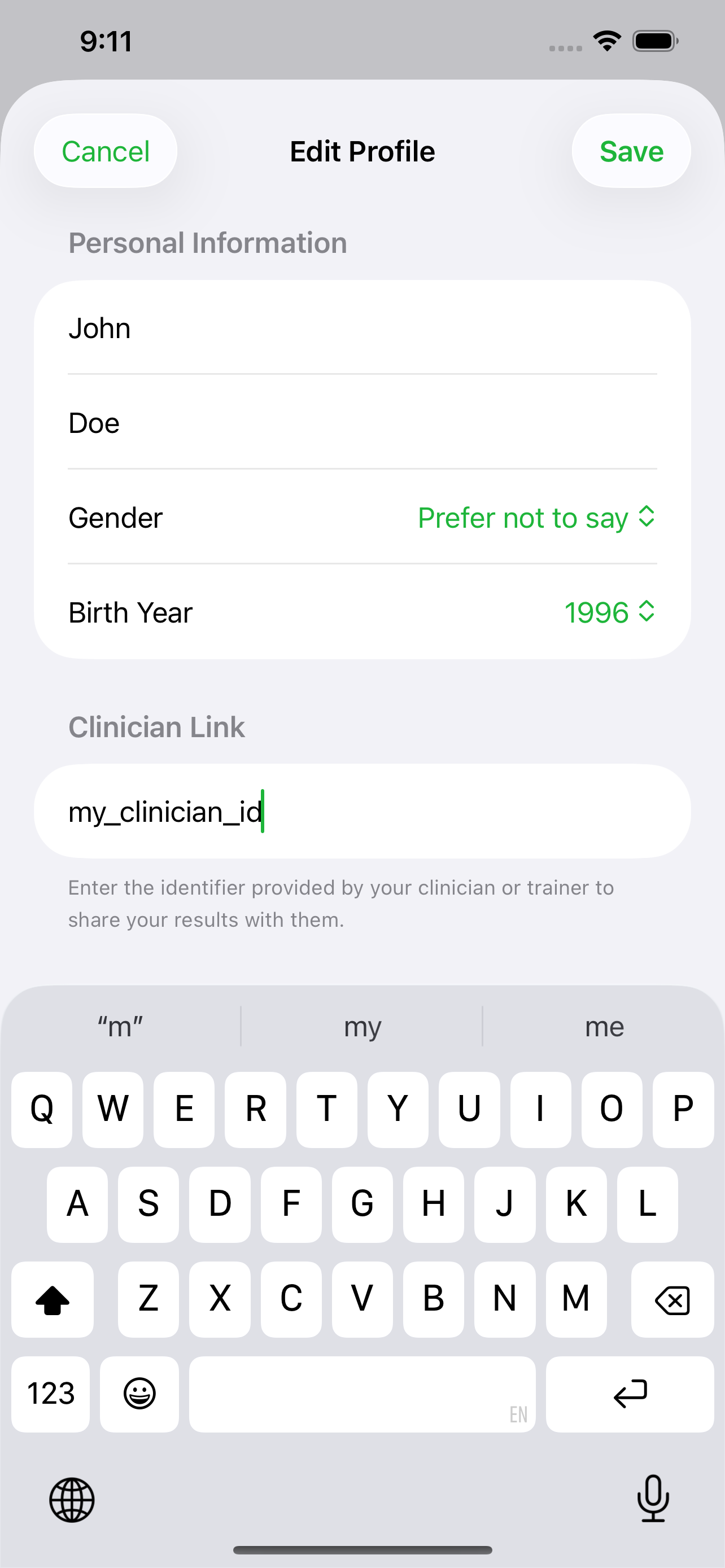
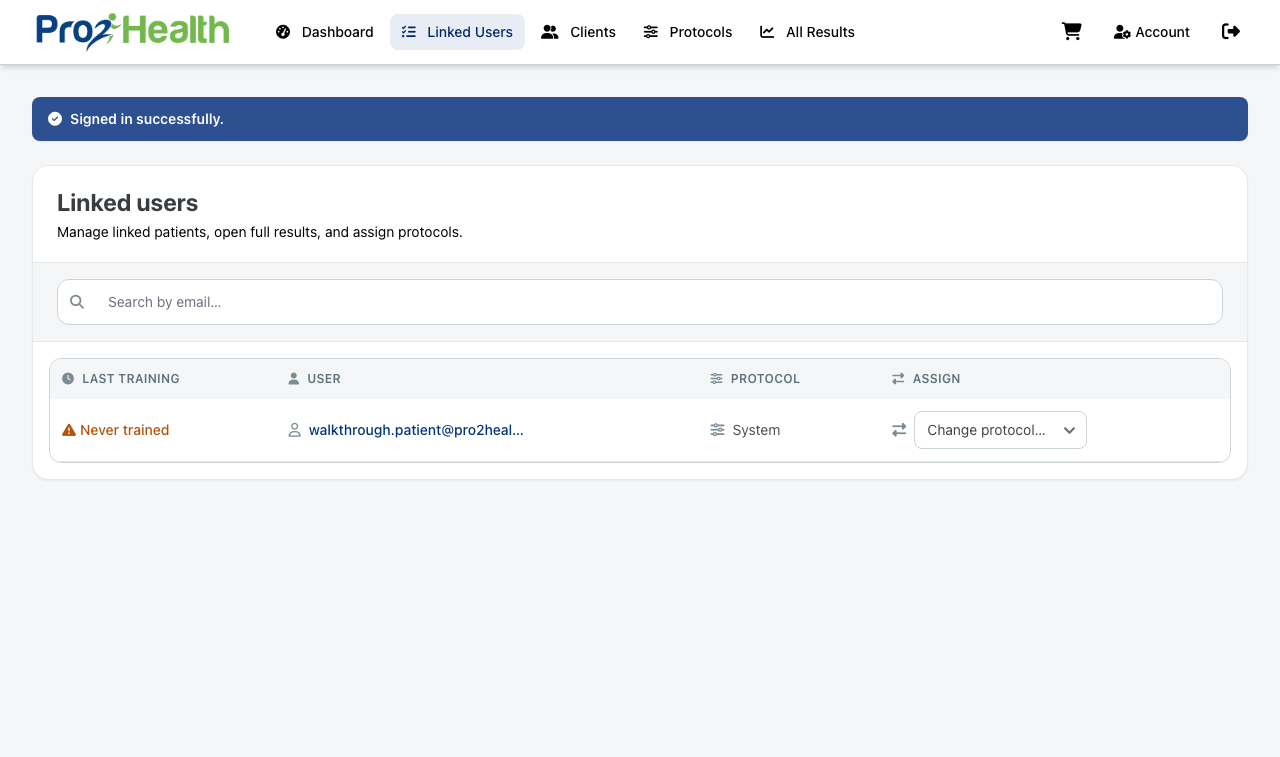
A patient opens Account → Edit Profile → Linked Clinician, enters your ID, and saves. You can also add a client from the portal or the app. Sessions they share then appear on your Linked Users list.
See the link-a-clinician walkthrough4 · Prescribe and follow
Assign a protocol and open their results
On Linked Users, choose a protocol for each patient. Their app picks it up on the next session. Open a patient to review trends, session detail, and individual breaths.
See clinician protocol editingIn the portal
After you sign in with a clinician account, you land where the work is: the people linked to your ID.
Linked Users
Last training, assigned protocol, and a way to open full results. Search by email when the list gets long. Enable or disable someone when they should leave active monitoring.
Protocols with clinician controls
Set the training goal, sets, reps, and rest, then use clinician controls for assessment direction, assessment type, and how MIP is calculated. Save the protocol before you assign it.
Dashboard
A remote-monitoring view of adherence and progress—days since last training, and change in breaths, MIP, FIT, power, and time—so you can see who needs a check-in.
Anonymous patient accounts
If you would rather keep names and emails in your own records, ask for anonymous accounts. Training still flows to your dashboard. PrO2 Health creates logins as your Clinician ID plus a number—for example, identifier001—each with its own password.
Email sales@pro2health.com with your Clinician ID and how many accounts you need. Hand the credentials to the patient, or use them on a shared clinic device, and keep the match to the medical record on your side.
At the point of care
In the app, Account → Manage Clients lists the people tied to your account. Search, add a client, and open details. Client records sync with the cloud and stay available offline.
The same device can run assessments and training in the clinic. Those sessions upload to the linked account, so the portal and the app stay on the same record.
For the broader clinical story, including remote programs and HIPAA-aligned hosting, see the Healthcare page.
Ready for clinician mode?
Create an account and request access. We will assign your Clinician ID. If you already have one, sign in to the portal.
Questions? sales@pro2health.com · 216.435.1195